
Weak and reused passwords remain one of the most common ways attackers gain unauthorized access to systems. This is why every organization needs a password policy to keep their computer systems safe. Hackers like to use tricks like phishing and guessing passwords to get into systems and sensitive information. To reduce these risks, organizations need well-defined password policies.
A good password policy for a company is not about making sure passwords are hard to guess. It is about having a plan for how passwords are made stored and used throughout the company. This plan also needs to follow rules like GDPR, ISO 27001 and SOC 2. It needs to be part of the company’s overall plan for managing who can access what. By having rules for passwords organizations can reduce the risk of hackers getting in and can keep a better eye on who is accessing what.
Having good password security is not just about making strict rules. It is about finding a balance. If the rules are too strict people might start to use the password for everything or store their passwords in unsafe places. A good password policy needs to be easy to use. Also have strong security measures like needing a second form of identification password managers and special controls, for sensitive information. If done correctly password policies can keep systems without making it hard for people to do their jobs.
What is a Password Policy?
A password policy is a set of rules that helps users create and manage passwords. These rules tell users how long their passwords should be and how complicated they need to be. They also say when passwords should be changed and what kinds of passwords are not allowed.
The goal of a password policy is to make sure everyone follows the security rules. This helps keep people from getting into our systems when they are not supposed to. It also helps stop people from stealing our passwords and trying to guess them.
Why is a Strong Password Policy Important?
Companies use passwords to keep their systems and information safe. If we do not have password rules people will make weak passwords or use the same password for everything. This makes it easy for hackers to get in.
A strong password policy does a lot of things to help us. It helps
- Prevent people from getting into our systems when they are not supposed to
- Reduce the chance of someone using our passwords to attack us
- Make sure everyone does things the way to keep us safe
- Help us follow the rules we are supposed to follow, like GDPR and ISO 27001 and SOC 2
- Make our security better overall
A strong password policy is really important, for password policy. Password policy is what keeps our information safe. So we need to have a password policy.
Key Password Policies Every Organization Should Implement
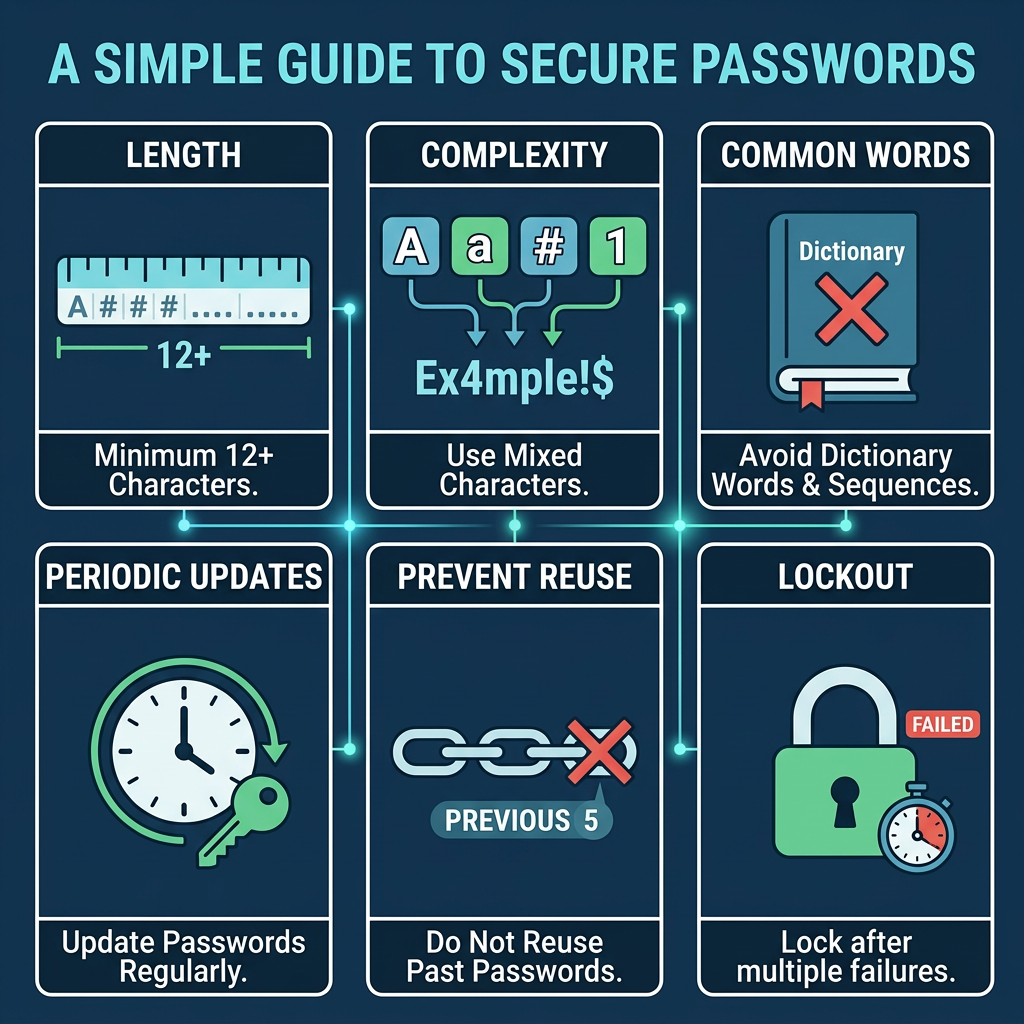
1. Minimum password length policy
One of the important things about a password policy is making sure people use long passwords. Passwords should be least 12 to 16 characters long. This is because the longer the password is, the harder it is for someone to figure it out by trying every possibility.
2. Password complexity requirements
A good password policy should make people use a mix of things in their passwords. This includes:
- Letters
- Lowercase letters
- Numbers
- Special characters
This makes it really hard for someone to guess a password. Password complexity is like a lock on a door that helps keep things safe. Every organisation should have password complexity requirements to keep Passwords safe. This way Passwords are protected with a Password policy.
3. Policy on password expiration
Policies for password expiration say that users must change their passwords every 60 to 90 days. Organisations should find a balance between security and usability when making changes often to avoid bad habits like using passwords that are easy to guess.
4. Rules about reusing passwords
Individuals often use the same password for more than one account, which makes it more likely that their credentials will be stolen. A good password policy should stop users from using their old passwords again (for example, the last 5 to 10 passwords).
5. Policy for locking accounts
Companies should have an account lockout policy to protect against brute-force attacks. This locks user accounts for a short time after a certain number of failed login attempts. This stops attackers from guessing passwords over and over again.
6. Enforcing Multi-Factor Authentication (MFA)
Modern password policies go beyond just passwords by requiring multi-factor authentication (MFA). MFA makes things safer by requiring users to prove who they are with things like one-time passwords (OTPs), biometrics, or authentication apps.
7. Policy on storing and encrypting passwords
You should never keep passwords in plain text. A strong password policy requires that passwords be stored safely using encryption and hashing. This makes sure that passwords stay safe even if data is hacked.
8. Policy for resetting and recovering passwords
Companies should set up safe ways to reset passwords, such as verifying identity reset links that only work for a short time Password reset without help (SSPR). This lowers the risks to security and the amount of work that IT has to do.
9. Password policy for privileged accounts
Privileged accounts require stricter password controls because they provide elevated access to critical systems and sensitive data. Organizations should enforce stronger password policies for these accounts, including frequent password rotation, continuous monitoring, and detailed audit logging. Implementing these measures helps reduce the risk of unauthorized access and aligns with privileged access management (PAM) best practices.
10. Policy on training and making users aware
Without user awareness, even the best password policies don’t work. Companies should teach their workers about making passwords that are hard to guess Staying safe from phishing attacks Using tools to manage passwords. This makes sure that more people use it and follow the rules.
Password policy best practices
To make a good password policy, you need to find a balance between security and ease of use. Organisations should promote the use of passphrases instead of short, complicated passwords because longer phrases are easier to remember and harder to break. Adding multi-factor authentication (MFA) to passwords makes them stronger and adds another layer of security, making it much less likely that someone will get in without permission. Policies should also not require users to change their passwords too often, as this can cause them to make patterns that are easy to guess or use variations of old passwords. Using a password manager is just as important because it lets you safely store, automatically create, and share your passwords. Lastly, password policies shouldn’t stay the same. Companies need to review and update them often to keep up with new cyber threats and security standards that are always changing.
Common password policy mistakes to avoid
It’s a common scenario: organizations, despite their best intentions, often roll out password policies that end up causing more headaches than they prevent. When the requirements are too complicated, users can get frustrated and resort to risky behaviors, like jotting down their passwords or reusing them across different platforms. This practice of reusing passwords can significantly heighten the risk of credential theft, especially if one account gets compromised. Another major blunder is keeping passwords in insecure places, like plain text files or unprotected systems, which can easily fall into the wrong hands. Not implementing multi-factor authentication (MFA) only adds to the vulnerability, leaving passwords as the only barrier against attacks. Plus, neglecting the security of privileged accounts can lead to serious repercussions, as these accounts have access to vital systems. Steering clear of these common traps is crucial for building a robust and resilient security framework.
How password managers help enforce password policies
A password manager is essential for making sure that password policies are followed consistently throughout an organization. It helps users create strong, unique passwords for each account, which eliminates the risk of reusing passwords. All credentials are safely stored in encrypted vaults, keeping them secure from unauthorized access. Plus, password managers can automatically enforce policy requirements, ensuring compliance without the need for manual intervention. They also allow for secure sharing and detailed access control, so teams can work together without putting sensitive credentials at risk. With built-in audit logs and reporting features, organizations can monitor password usage and access patterns, which helps with both security oversight and compliance. By automating and standardizing password practices, password managers take the load off users and ensure that policies are enforced consistently across the board.
Conclusion
A solid password policy is the cornerstone of effective cybersecurity. By putting strong password guidelines in place, promoting best practices, and utilizing tools like password managers, organizations can greatly minimize the chances of falling victim to credential-based attacks. As cyber threats keep changing, it’s crucial for password policies to evolve as well—going beyond just the basics to incorporate automation, multi-factor authentication (MFA), and privileged access controls. In the end, a robust password policy isn’t merely about ticking boxes for compliance; it’s about fostering a secure and resilient organization.
Leave a Reply