
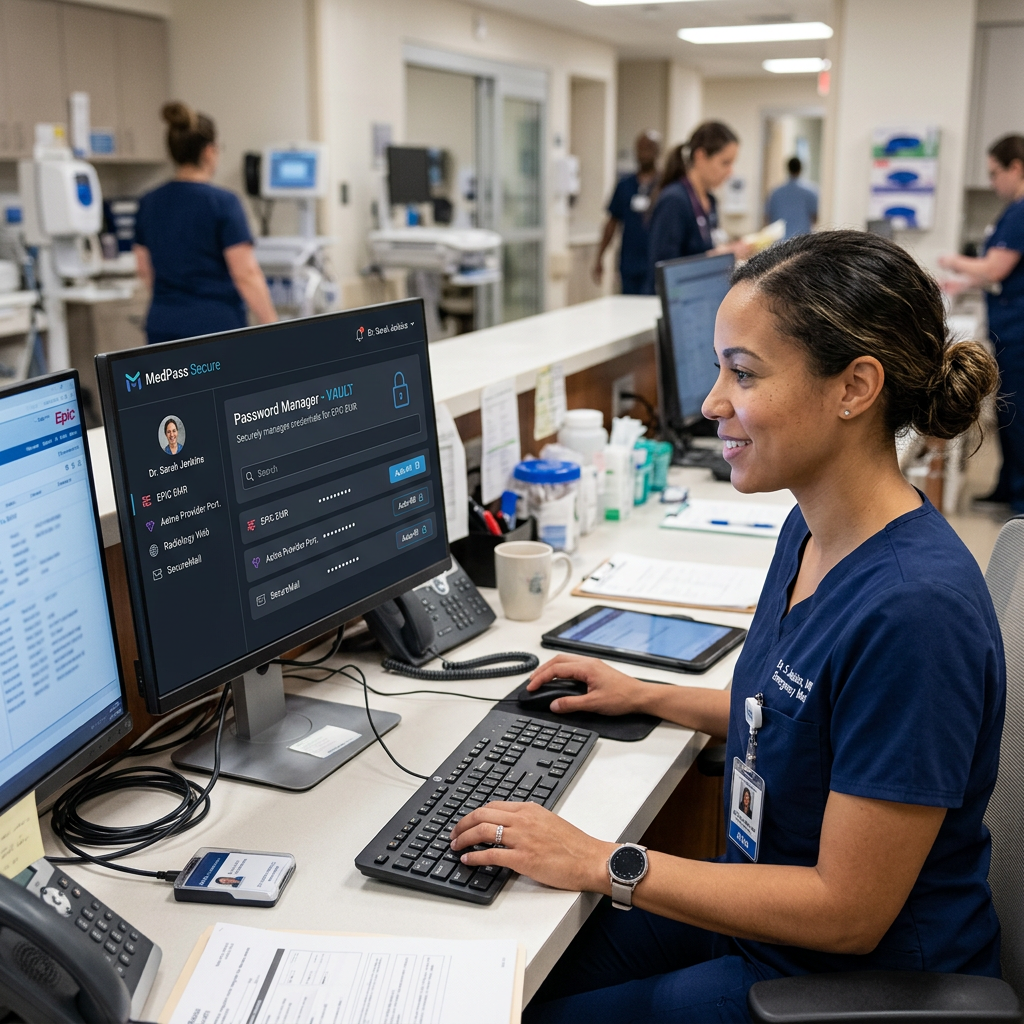
Medical records are highly valued on the dark web, frequently selling for ten times the price of stolen credit card numbers. The principal vector for obtaining this very sensitive Electronic Protected Health Information (ePHI) is not highly sophisticated zero-day attacks, but rather compromised credentials. Medical professionals interact with dozens of disparate systems on a regular basis, resulting in a vast attack surface where weak, repeated, or inappropriately shared passwords lead straight to catastrophic data breaches.
Balancing strict cybersecurity rules with the fast-paced, life-saving demands of healthcare operations necessitates a fundamental shift in authentication methods. Implementing strong password management in healthcare organisations bridges the gap between strict regulatory requirements and clinical efficiency.
Executive Summary (TL; DR)
- The main issue is that decentralised telehealth teams, high-stress clinical settings, and outdated IT infrastructure provide serious credential vulnerabilities that result in “password fatigue” and unsafe solutions.
- The Solution: Without slowing down medical personnel, an enterprise-grade password manager for healthcare industry settings centralises credential control, enforces complicated passwords, and encrypts access.
- Compliance Alignment: By offering distinct user identity, role-based access controls (RBAC), and thorough audit logs, password managers directly support HIPAA Technical Safeguards.
- Key competencies include managing third-party vendor access, securing legacy systems without SSO connection, and expediting the onboarding and offboarding of rotating medical staff.
The Unique Credential Challenges in Healthcare IT
IT environments in the healthcare industry are particularly complicated. A single hospital network usually consists of a disjointed ecosystem of decades-old legacy apps, cloud-based diagnostic tools, and contemporary Electronic Health Record (EHR) systems.
Medical practitioners have a very limited amount of time to handle this fragmented environment. When a doctor must enter into fifteen distinct apps in a single shift, each with a unique password complexity and expiration date criteria, password fatigue develops. This fatigue shows itself as risky security workarounds, such as sharing generic departmental logins, writing passwords on sticky notes affixed to shared workstations, or using the same passwords for both personal and professional accounts.
Additionally, the conventional security perimeter has been pushed outward by the quick growth of telehealth. Legacy identity access management (IAM) techniques were not intended to tackle the new risks brought about by remote medical teams using mobile devices or home networks to access central databases.
How a Password Manager for the Healthcare Industry Secures Patient Data
A purpose-built password manager acts as a secure, encrypted vault for all organizational credentials, operating on a zero-knowledge architecture. This means the encryption and decryption of data happen locally on the user’s device, ensuring that neither the software provider nor unauthorized internal actors can access the stored credentials.
Reducing Phishing and Credential Theft
Ransomware groups continue to exploit phishing as one of their most successful methods for breaking into hospital networks. To obtain passwords, cybercriminals frequently impersonate vendor login pages or internal hospital portals.
By using URL-matching capabilities, password managers essentially eliminate this issue. The program will simply refuse to auto-fill a password on a spoof phishing site since its auto-fill feature depends on the cryptographic match between the saved credential and the validated domain. Additionally, a password manager guarantees that the blast radius is confined in the event that one particular system is compromised by creating high-entropy, unique passwords for each and every application. These credentials cannot be used by the attacker to pivot laterally into the larger hospital network.
Safeguarding Telehealth and Remote Medical Teams
Medical personnel must access ePHI from multiple places and devices as a result of the shift toward decentralised care. By offering a safe, encrypted channel for credential recovery regardless of the user’s location, a password manager protects these remote medical teams. Organisations may make sure that even if a remote worker’s master password is hacked, the attacker cannot access the vault without the secondary authentication token by implementing Multi-Factor Authentication (MFA) at the vault level.
Password Management Use Cases for Healthcare
There is much more to implementing an enterprise password manager than just storing passwords. It is the cornerstone of a more comprehensive Identity and Access Management (IAM) approach. The following are the main applications of password management in healthcare settings:
1. Simplifying EHR Access Without Sacrificing Security
When it comes to patient care, clinical efficiency is crucial. Physicians and nurses cannot afford to spend time manually entering complicated character strings into numerous sites or changing forgotten passwords. Password managers safely automatically enter credentials into EHRs and clinical applications by integrating directly into the browser or operating system. By doing this, the authentication procedure becomes less complicated, freeing up medical personnel to concentrate solely on patient care while maintaining the highest level of security.
2. Using Legacy Systems to Close the Gap
Healthcare networks are infamous for depending on legacy systems—such as outdated imaging software, specialised diagnostic tools, or on-premises pharmaceutical databases—that do not allow SAML or SSO integration, even though SSO is a potent tool for contemporary cloud applications. By capturing the login credentials for these outdated systems, password managers enable centralised IT governance and give end users an “SSO-like” experience.
3. Controlling Third-Party and Vendor Access
Hospitals depend on a wide range of external vendors for everything from medical device technicians and HVAC maintenance to invoicing and transcription services. Internal network access is frequently necessary for these businesses. IT managers can safely share credentials by using a password manager rather than setting up long-term, highly privileged accounts or sending passwords via unsecure channels (such text or email). Orphaned accounts can be eliminated by granting access for a limited period of time and quickly revoking it when the vendor’s contract expires.
4. Supporting Quick Onboarding and Offboarding of Staff
The healthcare sector is highly dependent on rotating staff, such as medical residents, travelling nurses, and locum tenens doctors, and has a high staff turnover rate. Manual access providing and de-provisioning for these temporary employees is prone to human mistake.
IT teams can group credentials by department or role using a password manager and Role-Based Access Control (RBAC). A new nurse is immediately granted secure access to all required systems upon joining the group. With a simple click, their access to the whole vault is cut off when they depart, thereby eliminating the possibility of insider threats or unauthorised post-employment access.
Using Centralised Control to Support HIPAA Compliance
Strict protections for ePHI are required by the Health Insurance Portability and Accountability Act (HIPAA). Technical policies and procedures for electronic information systems must be implemented by covered entities in accordance with the HIPAA Security Rule. These legal obligations are directly supported by password management in a number of crucial ways:
- Unique User Identification (164.312(a)(2)(i)): HIPAA mandates that each user be given a unique name and/or number in order to track and identify their identity (164.312(a)(2)(i)). By making it simple to create and manage individual credentials and guaranteeing that each action is linked to a distinct person, password managers deter the usage of shared departmental passwords.
- Audit Controls (164.312(b)): Covered businesses are required to put in place procedures, software, and hardware that document and analyse information system activity. Comprehensive administration dashboards with thorough audit trails are offered by enterprise password managers. IT departments are able to monitor precisely who used what credentials, from what IP address, and when. When conducting incident response investigations or compliance audits, this forensic data is quite helpful.
- Authentication (164.312(d)): Organisations must confirm that the individual requesting access to ePHI is who they say they are. Password managers guarantee that authentication systems adhere to the strictest cryptographic requirements mandated by regulatory authorities by enforcing difficult password generation, implementing regular password rotation policies, and incorporating MFA.
Safeguarding Healthcare Data in the Future
Tools that support rather than impede healthcare workers are needed at the nexus of patient care and data security. It is mathematically impossible and poses a serious organisational risk to rely on human memory to protect the keys to private health information.
Organisations may systematically eliminate the risk of credential theft, establish strict compliance with regulatory frameworks like HIPAA, and guarantee that both on-premises and remote medical teams function under a zero-trust architecture by putting strong password management for healthcare into place. As healthcare infrastructure continues to digitize and expand, centralized, encrypted credential control is no longer an optional IT initiative—it is a fundamental requirement for patient safety and institutional integrity.
Leave a Reply